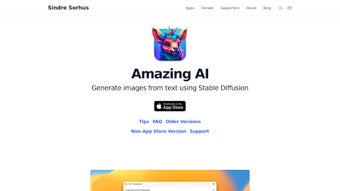

Download Amazing AI – Secure Offline Text‑to‑Image Generator for Apple Silicon
Amazing AI is a cutting‑edge AI design web application built exclusively for Apple‑silicon devices. Powered by the Stable Diffusion deep‑learning model and tightly integrated with the Apple Neural Engine (ANE), this tool transforms plain text prompts into vivid, high‑resolution images in seconds. What sets Amazing AI apart is its local‑only processing model – everything runs on‑device, ensuring faster generation times, stronger privacy, and zero reliance on external servers.
Whether you own an iPhone 15 Pro, an iPad equipped with an M1 chip, or a Mac with M1/M2 silicon, you can harness the full potential of Stable Diffusion without compromising battery life or data security. The app also embeds detailed metadata into each output, making it easy to trace creation parameters for future edits or compliance checks. While the solution is limited to Apple hardware and does not support custom model uploads or in‑painting, its streamlined workflow, batch‑generation shortcuts, and free commercial‑use license make it an attractive option for designers, marketers, and hobbyists who need a reliable, on‑device text‑to‑image engine.
Key Features of Amazing AI
Amazing AI packs a rich set of capabilities that cater to both casual creators and professional designers. Each feature has been engineered to exploit the performance envelope of Apple Silicon, delivering a fluid experience that feels native to macOS, iOS, and iPadOS. Below you will find an expanded look at the most important functionalities, along with brief explanations of how they benefit your workflow.
- Apple‑Silicon Optimisation: Fully leverages the ANE for real‑time image synthesis, reducing latency to under a second for many prompts.
- Stable Diffusion Core: Utilises the proven Stable Diffusion model for photorealistic results, automatically handling model checkpoints and safety filters.
- Local‑Only Processing: No internet connection required after the initial download – a privacy‑first architecture that keeps your prompts and generated images on your device.
- Batch Generation & Shortcuts: Create multiple images from a single prompt with customizable keyboard shortcuts and preset batch sizes, perfect for rapid concept iteration.
- Embedded Metadata: Each image carries creation data (seed, steps, CFG scale, model version) for reproducibility, audit trails, and collaborative hand‑offs.
- Free Commercial Use: Generated images can be used in commercial projects without additional licensing fees, eliminating hidden costs for freelancers and agencies.
- Secure Sandboxing: Runs in an isolated environment, preventing unauthorized access to other apps or files and complying with Apple’s security guidelines.
- Device Compatibility: Optimised for iPhone 15 Pro, iPad with M1, MacBook Air/Pro M1/M2 and newer, ensuring consistent performance across the Apple ecosystem.
- Intuitive UI: Clean, native macOS/iOS interface with drag‑and‑drop prompt entry, real‑time preview, and contextual help bubbles.
- Regular Updates: Frequent model improvements and UI refinements delivered via the App Store, keeping the software current with the latest diffusion research.
Installation, First‑Run Guide, and Compatibility
Getting Amazing AI up and running is straightforward, thanks to Apple’s unified App Store ecosystem. Below is a detailed, step‑by‑step walkthrough that not only covers the basic installation but also provides troubleshooting tips, configuration best practices, and advice on how to get the most out of the app’s capabilities on each platform.
- Verify System Requirements: The app requires iOS 16, iPadOS 16, or macOS 13 or later, and an Apple‑silicon processor (M1, M1 Pro, M1 Max, M2, or newer). Devices with Intel CPUs cannot run the app because the ANE acceleration is mandatory for acceptable performance.
- Download from the App Store: Open the App Store on your device, search for “Amazing AI”, and tap “Get”. The download size is roughly 250 MB. The app is free to install, and you will receive automatic updates through the Store.
- Grant Permissions: On first launch, the app requests access to your Photo Library (to save results) and permission to use the Neural Engine. Accept both prompts; without these permissions the app cannot render or store images.
- Initial Configuration: Navigate to Settings → Preferences. Here you can set default image resolution (512 px–1024 px), inference steps (10–30), and the classifier‑free guidance (CFG) scale (7.0–12.0). For most users, the pre‑selected defaults provide a good balance of speed and quality.
- Prompt Crafting Tips: Effective prompts combine clear subject description, style cues, and optional lighting or color hints. Example: “A futuristic city skyline at sunrise, neon reflections, ultra‑wide angle, cinematic lighting”. The app’s built‑in prompt analyzer highlights ambiguous terms and suggests refinements.
- Run a Test Generation: Tap “Generate” after entering your prompt. The ANE will begin processing instantly, and a progress bar shows the inference steps. Typical generation time ranges from 0.8 seconds for low‑resolution outputs to 2.5 seconds for 1024 px images.
- Review and Export Metadata: After the image appears, tap the information (ℹ️) icon. A panel displays seed, steps, CFG scale, and the exact prompt string. You can copy this data to the clipboard or export it as a JSON file via the Share sheet.
- Saving and Sharing: Use the “Save to Photos” button to store the image in your library, or select “Export to Files” for a local folder. The app also integrates with AirDrop, allowing instant sharing with other Apple devices.
- Troubleshooting Common Issues: If generation stalls, ensure that Background App Refresh is enabled, and that no low‑power mode restrictions are active. Re‑launching the app clears the GPU cache and often resolves performance hiccups.
Compatible operating systems include iOS 16+, iPadOS 16+, and macOS 13+ on Apple‑silicon hardware. Devices lacking the ANE (Intel‑based Macs) cannot run Amazing AI, as the app depends on silicon‑level acceleration for acceptable performance.
Pros and Cons
Understanding the strengths and limitations of Amazing AI helps you decide whether it aligns with your creative workflow. Below is a balanced overview that highlights the most significant advantages while also being transparent about the current constraints.
Pros
- Blazing‑fast generation thanks to on‑device ANE acceleration, delivering sub‑second results for many prompts.
- Zero‑cloud architecture guarantees privacy and offline usage, ensuring that sensitive prompts never leave your device.
- Free commercial‑use license eliminates hidden costs and simplifies budgeting for freelancers and agencies.
- Rich embedded metadata provides full reproducibility, making collaboration and version control straightforward.
- Batch generation and shortcut support boost productivity during concept‑exploration phases.
- Native UI conforms to Apple design guidelines, offering a familiar and intuitive experience across iPhone, iPad, and Mac.
- Regular updates via the App Store keep the model and security patches current without manual intervention.
Cons
- Limited to Apple silicon – no Windows, Android, or Intel‑based Mac support, which restricts cross‑platform collaboration.
- No custom model import or in‑painting capabilities, meaning you cannot fine‑tune the diffusion model for niche styles.
- Requires relatively recent hardware (M1/M2 or later); older devices cannot run the app efficiently.
- Resolution caps at 1024 px, which may be insufficient for large‑scale print or billboard projects.
- Advanced prompt tuning can have a learning curve for beginners, especially when balancing CFG scale and inference steps.
Frequently Asked Questions
Is Amazing AI truly offline?
Yes. After the initial download, all image generation happens locally on your device using the Apple Neural Engine. No data is sent to external servers unless you manually share the output.
Can I use the generated images for commercial projects?
Absolutely. Amazing AI grants a free commercial‑use license for every image you create, so you can incorporate them into marketing, branding, or product design without extra fees.
What hardware is required?
You need an Apple device equipped with an M1, M1 Pro, M1 Max, M2 or newer silicon chip and running iOS 16/macOS 13 or later. Older Intel‑based Macs are not supported.
Does Amazing AI support custom Stable Diffusion models?
Currently it does not. The app ships with a curated Stable Diffusion version optimised for Apple silicon, and custom model uploads are not available.
How do I export the metadata that comes with each image?
Tap the information icon on the generated thumbnail. A panel appears showing seed, steps, CFG scale, and the exact prompt. You can copy this text or export it as a JSON file via the Share menu.
Can I batch‑generate images for a single prompt?
Yes. In the Settings panel you can define a batch size (up to 10 images) and enable the “Auto‑Generate” shortcut. The app will then render the specified number of variations sequentially, each with a unique seed.
Conclusion – Should You Download Amazing AI?
For anyone entrenched in the Apple ecosystem and looking for a fast, private, and cost‑free text‑to‑image solution, Amazing AI delivers a compelling package. Its seamless integration with the Apple Neural Engine translates to near‑instant results, while the on‑device workflow guarantees that your creative ideas stay under your own control. The free commercial‑use policy further removes barriers for professionals seeking to monetize AI‑generated visuals.
However, if you operate on Windows, Android, or older Intel Macs, you’ll need to explore alternative tools. Likewise, power users who rely on custom diffusion models or in‑painting will find the feature set a bit restrictive. Overall, the balance of speed, privacy, and ease‑of‑use makes Amazing AI a standout choice for designers, marketers, and casual creators alike.
Download Amazing AI today from the App Store, start generating stunning images offline, and experience the power of on‑device AI without compromising your data.
Amazing AI impresses with its speed, privacy‑first design, and free commercial license. The only drawbacks are platform exclusivity and the absence of custom model support. For Apple‑silicon users, it’s a must‑have addition to any creative toolkit.



.png)



